Most city building games were once confined to PC—demanding precision, multitasking, and mouse-driven control. But with smarter UI design and optimized console interfaces, Xbox One has become a surprisingly capable platform for urban planners and creative visionaries. The challenge? Finding titles that don’t just port PC mechanics poorly but actually work with a controller.
If you’ve ever tried managing traffic flow or zoning districts with a gamepad and felt frustrated, you’re not alone. But the right Xbox One city building games balance depth with intuitive controls, turning complex simulation into satisfying strategy.
Here’s a curated list of the best city builders available on Xbox One—games that let you lay down roads, balance budgets, and watch skyscrapers rise, all without needing a mouse.
Why City Building Games Work on Xbox One Now
It wasn't always this way. Early console ports of city builders failed because they treated the controller like an afterthought. But developers have learned. Modern Xbox One city builders feature radial menus, snap-to-grid placement, and smart camera navigation that make building feel natural.
Take Cities: Skylines on Xbox One. It uses contextual button mapping—press Y to zone, X to paint roads, B to delete—minimizing menu diving. The camera locks to cardinal directions during road placement, preventing awkward angles. These aren’t just technical fixes; they’re thoughtful adaptations.
The shift also reflects broader trends: more players want deep, single-player experiences that reward patience and planning. City building games fit that niche perfectly—especially on a console where you can build for an hour after work without the pressure of multiplayer competition.
Top 7 Xbox One City Building Games That Actually Work
Not every city builder translates well to console. Some are too slow, others too shallow. These seven titles stand out for gameplay depth, controller support, and long-term engagement.
1. Cities: Skylines – Xbox One Edition
The gold standard for console city building. Originally a PC powerhouse, Cities: Skylines was successfully adapted for Xbox One with full controller support, mod-like content via downloadable map packs, and a simplified but effective UI.
Key Features: - Realistic traffic AI that reacts to your road design - District-specific policies (e.g., banning heavy traffic in residential zones) - Public transit management (buses, metros, monorails) - Natural disaster expansion (via DLC)
Tip: Use the “Traffic Info View” early and often. It highlights congestion points in red—your first clue that your grid layout isn’t cutting it.
While it lacks the full modding ecosystem of the PC version, the Xbox edition includes curated content like the After Dark and Snowfall expansions, adding nightlife and winter weather mechanics.
2. Tropico 5
Mix city building with political satire, and you get Tropico 5. You play as “El Presidente,” ruling a Caribbean island across centuries—from colonial outposts to modern tourist hubs.
What makes it shine on Xbox One is its pacing. Unlike slower sims, Tropico 5 lets you jump between eras, seeing your banana republic evolve into an industrial powerhouse.
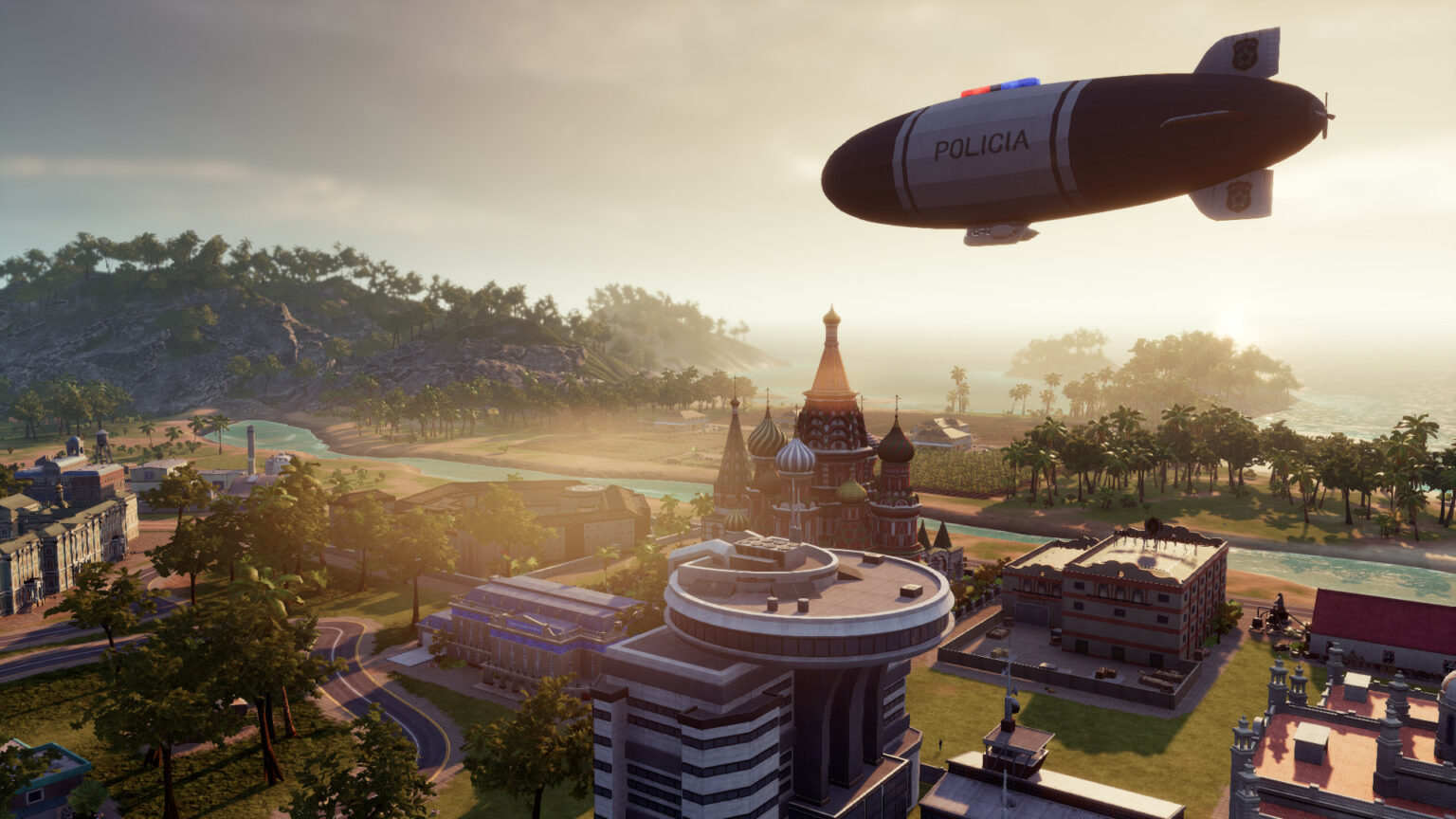
Unique Mechanics: - Foreign relations system (keep the US or USSR happy) - Pirate raids and coups add unpredictability - Worker happiness tied to propaganda and rum rations
Mistake to Avoid: Over-relying on tourism. While resorts bring cash, they’re vulnerable to global events. Balance with agriculture and manufacturing.
The controller interface handles menu navigation smoothly, and the satirical tone keeps the experience from feeling like a spreadsheet.
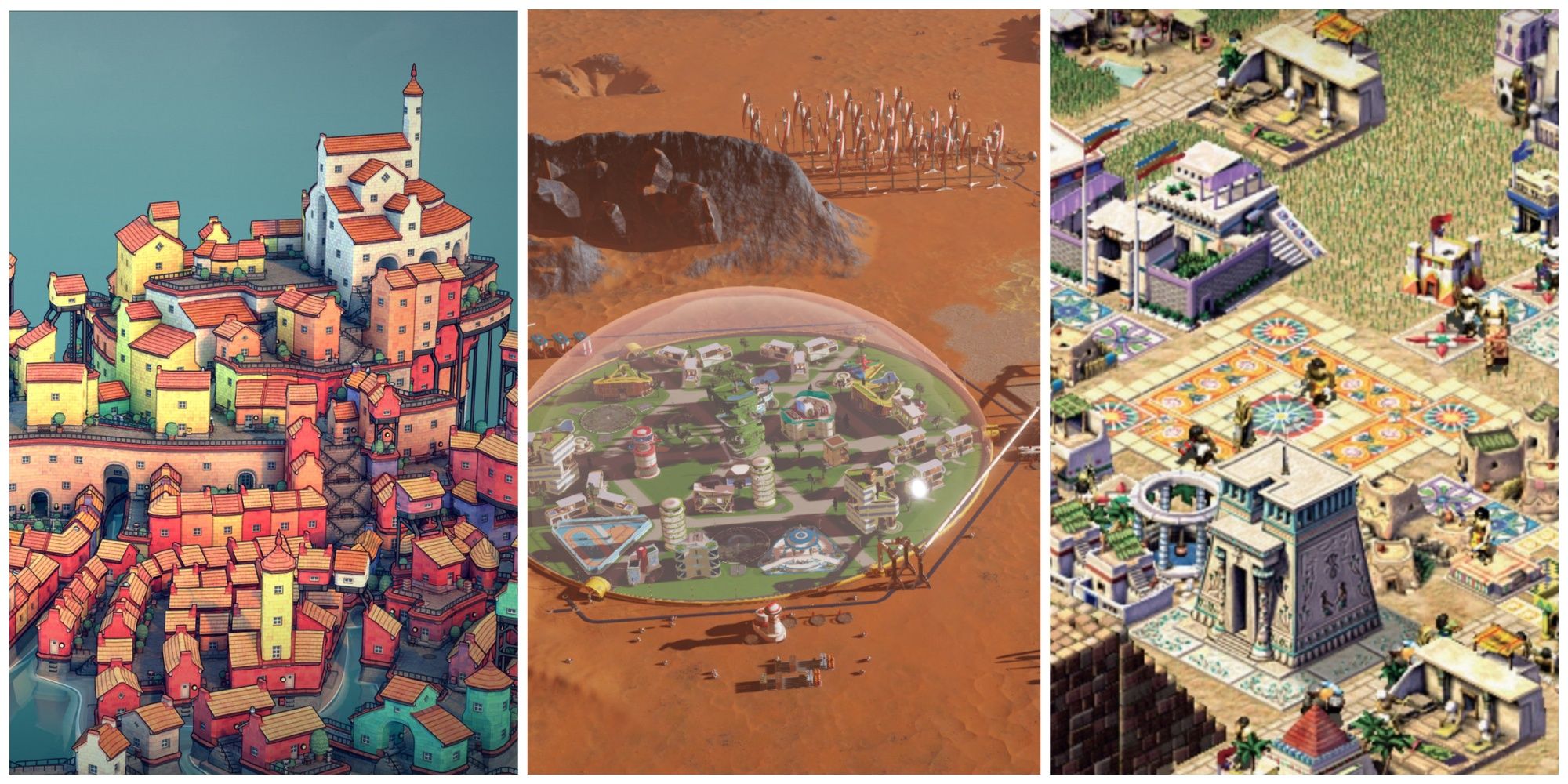
3. Surviving Mars
Not a traditional city builder, but close enough—and too good to skip. You’re colonizing Mars, managing oxygen, power, and psychology in a hostile environment.
The Xbox One version runs well, though the learning curve is steep. Surviving Mars rewards methodical planning. One misplaced dome can trigger a chain reaction of disasters.
Critical Systems: - Dome-based city zones (residential, research, industry) - Resource chains (water from ice, metal from mines) - Sol-based timeline (each day is a “sol”)
Pro Tip: Start small. Build one dome, then expand. Rushing leads to supply shortages and panic.
The game’s mood is tense but immersive. You’re not just building a city—you’re fighting for survival on a planet that wants you dead.
4. The Lamplighters League
Wait—this isn’t a city builder. But it’s often mislabeled as one due to its urban themes. Avoid confusion: The Lamplighters League is a turn-based tactical game with light base management, not construction. Don’t expect to zone districts or manage traffic.
This mention serves as a warning: Always check gameplay before buying. Many “city building” tagged games on the Xbox Store are actually strategy or RPG hybrids.
5. Anno 2207
A futuristic take on the Anno series, Anno 2207 tasks you with building eco-sensitive cities across Earth, the Moon, and asteroids. The Xbox version is a port of the PC original, and while functional, it’s clunkier than others.
Pros: - Multi-planet logistics (ship resources between colonies) - Environmental impact matters (pollution affects growth) - Deep production chains (e.g., produce microchips from silicon)
Cons: - Dated UI for console - Camera controls can feel sluggish - Long load times
Best for patient players who enjoy complex economies. Not ideal for casual builders.
6. Banished
A hidden gem. Banished strips away modern infrastructure—you start with a group of exiles and must build a sustainable medieval village from scratch.
No roads, no electricity, no zoning. Just housing, farms, and harsh winters.
Why It Stands Out: - Population management is key (train children before elders die) - Weather and crop yields vary yearly - Minimalist design forces creativity
On Xbox One, the interface is serviceable but not elegant. Text is small, and selecting distant buildings takes time. Still, it’s a rewarding challenge for fans of survival-based city building.
7. Frostpunk: Console Edition
A city builder with a moral spine. Frostpunk drops you into a frozen apocalypse where survival means making brutal choices.
You build a city around a generator—the only heat source. But as temperatures drop, you must decide: enforce child labor? Ban dissent? The game tracks your hope and discontent like any resource.
Xbox Experience: - Fully optimized for controller - New “The Last Autumn” scenario included - Pause-and-play for careful decision-making
This isn’t about creating a beautiful metropolis. It’s about how far you’ll go to keep the lights on. The emotional weight makes it unforgettable.
How to Choose the Right Game for Your Play Style
Not all city building games suit every player. Your choice should depend on what kind of planner you are.
| If You Like… | Try This Game |
|---|---|
| Realistic urban planning | Cities: Skylines |
| Satire and political control | Tropico 5 |
| Survival and crisis management | Frostpunk |
| Long-term colony growth | Surviving Mars |
| Historical, low-tech survival | Banished |
Ask yourself: - Do I want realism or drama? - Am I building for efficiency or story? - How much micromanagement can I handle?
Cities: Skylines and Tropico 5 are best for beginners. Frostpunk and Surviving Mars suit players who enjoy emotional stakes.
Common Mistakes New Players Make
Even experienced gamers stumble when starting city builders. Here’s what to avoid:
- Zoning too much too soon: Over-zoning leads to ghost buildings and budget drains. Start small, expand as demand grows.
- Ignoring transportation: Traffic jams kill cities. Use one-way roads, roundabouts, and public transit early.
- Neglecting services: A single fire station won’t cover a sprawling suburb. Place schools, clinics, and police within reach.
- Forgetting happiness: In Tropico 5 or Frostpunk, unhappy citizens rebel. Balance work, leisure, and control.
- Rushing expansions: In Surviving Mars, expanding before life support is stable causes colony collapse.
Keep a “buffer budget” of 20–30% of income. Unplanned disasters—like storms in Frostpunk—will test your reserves.
Controller Tips for Smoother Building
The Xbox One controller wasn’t made for city building, but you can work with it.
Workflow Hacks: - Use snap-to-grid when placing roads (hold LT to adjust angle) - Assign frequent actions to favorites (if the game supports it) - Pause often to review budgets and citizen feedback - Rotate camera with right stick to spot congestion - Use filters (traffic, pollution, noise) to diagnose issues visually
Cities: Skylines lets you toggle “construction snapping,” which aligns roads and zones automatically—turn it on.
The Verdict: What’s the Best Xbox One City Builder? For most players, Cities: Skylines is the clear winner. It combines depth, polish, and controller-friendly design better than any other title. You’ll spend hours fine-tuning intersections or watching your skyline evolve at sunset.
But if you crave narrative and moral tension, Frostpunk stands alone. And for humor and long-term play, Tropico 5 delivers.
Avoid games with PC-only design mindsets. If the UI feels like a spreadsheet, it probably is.
Final Tips for Building Your Dream City
- Start with a small map to learn mechanics
- Watch in-game advisors—they give early warnings
- Study real city layouts (e.g., Barcelona’s grid, London’s radial roads)
- Revisit old saves to see progress
- Join Xbox community hubs to share cities and tips
The best city isn’t the biggest—it’s the one that works. Smooth traffic, happy citizens, and a balanced budget are the real victories.
FAQ
Can you play Cities: Skylines multiplayer on Xbox One? No, Cities: Skylines is single-player only on Xbox One. Multiplayer is not supported.
Is Surviving Mars hard on Xbox One? Yes, it has a steep learning curve, but the console edition includes tooltips and pause functionality to help.
Does Tropico 5 have DLC on Xbox? Yes, including Espionage, Cocktails, and Caribbean Travels, adding new buildings and scenarios.
Can you mod city builders on Xbox One? Generally no. Console versions don’t support user mods like PC versions do.
Are these games offline-friendly? Yes, all listed games support offline play.
How much storage do these games need? Between 8–20 GB, with Cities: Skylines requiring up to 15 GB with expansions.
Is Frostpunk appropriate for younger players? Not really. It deals with themes like child labor and societal collapse—recommended for ages 16+.